Are Free Edgenuity Bots Safe? What You're Installing
'Is it a virus' is the wrong question. One puzzle piece, arrows fanning out everywhere. One shield, one arrow, one door. That's the whole difference.

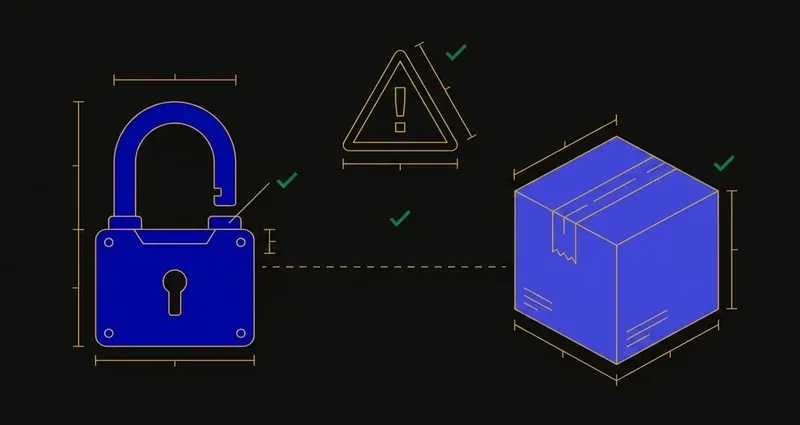
The wrong question
"Is this a virus?" implies a binary: either the script is malware, or it's fine.
Userscripts don't work like that: the risk isn't that a script is secretly malicious, it's what an ordinary userscript is legitimately permitted to do, combined with how you got it and what happens when it updates.
What you're actually installing
A userscript is JavaScript that a manager extension, usually Tampermonkey, injects into pages as they load. To work, it needs permission to read and modify those pages. That permission comes from a line in the script's header called a match pattern, and how wide it's scoped decides how much of your browsing the script can see.
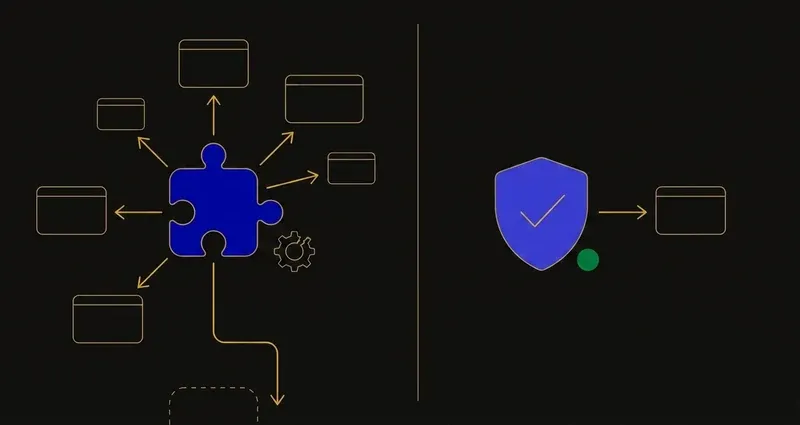
Permission scattered in every direction versus one shield, one arrow, one door. That's the difference between a loosely-scoped userscript and a scoped browser extension, and it's worth understanding before you paste anything into a script manager.
Broad page access
A well-scoped script matches only Edgenuity domains. A carelessly-scoped one matches every site you visit, including a login page, and plenty do because it's the path of least resistance.
Silent updates
Userscript managers support auto-update from a remote URL. The code you reviewed on day one isn't necessarily what's running in week six.
No review process
Chrome Web Store and Firefox Add-ons have review processes: imperfect, but processes. A script pasted from a Discord message has been reviewed by nobody.
Untraceable funding
Free tools still cost their maintainer money: hosting, an answer backend, time. Something pays for that, and if you can't say what, that's information too.
A userscript doesn't have to be malicious to hurt you. It only has to be granted more access than the job needs, and most of them are.
The 'nobody's complained' myth
An active Discord and a long user count feel like a safety signal: if it were dangerous, someone would've said something. That reasoning skips the actual gate. A reviewed store screens code before it reaches anyone. A Discord server has none: only whoever happened to notice a problem and post about it. Silence there measures how loud the room is, not whether the script is safe.
A worked example: reading one match pattern
Open a script's header and find the line starting with @match. Two versions of that line, same script, same job, produce very different exposure.
Scoped: @match *://*.edgenuity.com/* grants access to Edgenuity's domain and nothing else. Close that tab and the script has nothing left to read.
Broad: @match *://*/* grants access to every site loaded in that browser profile while the manager is active: Gmail, a bank login, Discord, whatever else is open. It's just what the permission line says, and most people never open the header to check it.
Why "free" raises the stakes
Distribution compounds the funding question above: free scripts circulate through Discord servers and reupload chains, so the copy you install is often several hands from whoever wrote it, with additions bolted on along the way.
The school-device problem
A large share of Edgenuity coursework happens on a school-issued Chromebook, where installing a userscript manager is typically blocked by policy. So most of these tools aren't available to the students most likely to need them, and any workaround means running unreviewed code on a device your district manages: a policy problem on its own.
If you're going to run one anyway
A few checks meaningfully reduce exposure:
- Read the
@matchline, the way the worked example above does. It should be scoped to*.edgenuity.com, not a wildcard covering every site. - Turn off auto-update so you decide when the code changes.
- Use a browser profile that isn't signed into anything important.
Practical conclusions
First, the risk is the permission grant, not a virus-scanner verdict: "match all sites" and "match Edgenuity only" are different tools even when the feature is identical.
Second, "nobody's complained" isn't "somebody reviewed it": a Discord thread has no gate a script has to pass before reaching you, where a store listing does.
Third, if what you actually want is the coursework handled without auditing a script header yourself, that's a different category of tool than a pasted userscript.
The alternative
The security question mostly dissolves when the tool is a reviewed browser extension with an account behind it, not a script from a chat server: a named party with something to lose, a review process, a visible update channel, and support that answers. SnoopSolve works this way: it installs like any other extension, including on a managed school Chromebook, and runs on a maintained backend rather than one person's spare time. No tool, including this one, should be called undetectable.
That's the actual trade: free costs you the review process, the maintainer, and the ability to know what changed. See what an Edgenuity bot does and the main bots compared.
Frequently Asked Questions
Are free Edgenuity bots safe?
They are userscripts that run with permission to read and modify the pages they're granted access to, distributed outside reviewed extension stores, and able to update without notice. That access model is the risk, independent of whether any particular script is malicious.
Can a userscript steal my passwords?
A userscript granted broad page access can read what is on those pages, including form fields. Limiting a script's match patterns to Edgenuity domains substantially reduces that exposure.
Do free Edgenuity bots work on school Chromebooks?
Usually not. They require a userscript manager such as Tampermonkey, which managed school devices typically block.
Does "nobody's complained" mean a free Edgenuity script is safe?
No. Absence of complaints isn't evidence of review, it just means nobody who noticed a problem posted about it in that Discord. A reviewed store screens code before it reaches you; a Discord thread has no such gate, so silence there measures visibility, not safety.
Is SnoopSolve safer than a free Edgenuity userscript?
SnoopSolve is a browser extension distributed through standard extension stores rather than a userscript pasted from a chat server: a review process, a visible update channel, and a named party with an account and a support address behind it. That's a different accountability model from a Discord-distributed script, though no tool should be described as undetectable.