Edgenuity Bots in 2026: What They Do and Which Actually Work
"Edgenuity bot" is the single most-searched term in this whole category, and the search results genuinely don't agree on what one is. Some are Tampermonkey scripts behind a Discord key. Some are real extensions. Here's the actual taxonomy, and where SnoopSolve sits inside it.

What an Edgenuity bot actually does
Strip the branding away and every tool in this category, SnoopSolve included, does some combination of four things.
Auto-answer
Reads the question rendered on screen and fills in the answer, across every question type.
Auto-advance
Moves through activities without a click: instruction, warm-ups and summaries, all of it.
Video handling
Completes or advances the lecture video that gates the rest of the lesson.
Written responses
Generates the short-answer and extended-response text some activities require.
Put together, the pitch is identical everywhere: the course finishes without you sitting through it. For a student in credit recovery against a fixed deadline, that's often the difference between a credit and a repeat. What varies is how reliably each piece holds up, tracing back to one decision made before the tool was written.
Two architectures, one categorical difference
Here's the thing most comparison posts skip. Almost every Edgenuity bot, EdgyPro, Nexus and Exodus included, is a Tampermonkey userscript, not an extension. SnoopSolve is the extension.
That single fact drives most of what goes wrong on the userscript side.
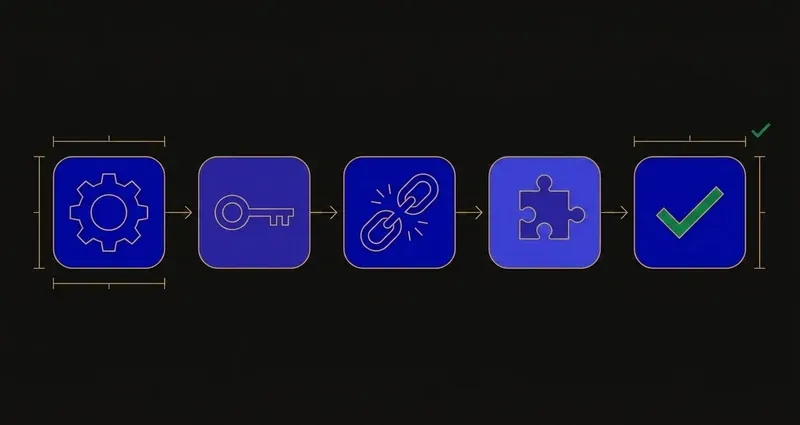
Installing one is a chain, not a click. Tampermonkey first, then the script, then a key to activate it: three points of failure before anything happens.
They break on platform updates. A userscript targets specific elements of Edgenuity's front end. Imagine Learning ships a change, the selectors stop matching, and the tool is dead until someone patches it: why the scene runs on succession, EdgyPro itself crediting three earlier, abandoned tools as predecessors.
Most won't run on a school Chromebook. Managed Chrome typically blocks installing a script manager outright, and a large share of Edgenuity coursework happens there. That one policy rules out the entire userscript half of the category.
Distribution runs through Discord. Keys get sold, resold and expire. Support is a chat server; when a script breaks mid-unit, "wait for an update" is the only answer anyone gives you.
A browser extension sidesteps all four: one-click install, a real update channel, works on managed Chrome, an account instead of a resold key.
A userscript is a bet that its maintainer stays interested longer than your course stays open. A browser extension isn't a bet at all; it's a product with an obligation to keep working.
Where the answers come from
The second thing worth checking, and it's not obvious from a feature list.
Scraped databases. Some tools answer from a stored bank built out of other students' courses. Districts configure their own version of every course, question pools included, so a database is a snapshot of somebody else's version, and it drifts, the same reason answer-key PDFs floating around rarely match.
Homework sites. Some pull from Brainly or similar, answering the general academic question rather than your specific item. Fine on maths, weaker on anything built around a passage, figure or data set your course supplied.
Reading the live question. The approach that can't go stale, since it makes no assumption about which version of the course you were assigned. SnoopSolve works this way.
A worked example: one flagged question, three ways to answer it
Say a lesson's Assignment includes a short-answer item built from a passage your course version supplies: something like "explain how the author's word choice in paragraph three shapes the tone of this passage."
A scraped-database bot matches the question text against its stored bank. If your district swapped passages this year, an ordinary difference between schools, the closest match belongs to a different passage, and the answer cites details that never appear in yours. A homework-site bot pulls a general answer for how word choice affects tone: accurate on the concept, disconnected from your specific passage. Reading the live question skips both, because the answer comes from what's on your screen, right now.
What about detection
Imagine Learning does publish integrity features: a plagiarism checker and an AI detector over written submissions, and Speed Radar, which flags activities finished faster than expected. Full breakdown in can Edgenuity detect cheating.
The part that matters for tools specifically: browsers expose more than students realise. The Page Visibility API lets any page see when you switch away from it, and document.hasFocus() reports whether its window is focused, ordinary web platform behaviour, and Edgenuity can read it like any site can.
The 'undetectable' myth
No tool, SnoopSolve included, can honestly promise to be undetectable. What a serious tool can do is address the specific signals a platform actually reads. SnoopSolve ships Privacy Guard, overriding the Page Visibility API and hasFocus() at the point the page would read them, so tab switches, window changes and focus loss don't reach Edgenuity while it's running. That's a description of a component, not a guarantee about a signal nobody's mentioned yet.
What to actually check before you pick one
- Is it an extension or a userscript? Determines whether it installs on your device at all.
- Where do its answers come from? Live question reading beats a scraped database on a district-customised course.
- Does it handle the videos? On most Edgenuity courses, instruction is the single biggest block of time.
- Does it cover written responses? Otherwise you finish the lesson and stall on the last box.
- Is there a maintainer? An account and a support address, or a Discord and hope.
- What happens to your activity log? See above.
We've compared the three most-searched tools in the best Edgenuity bots, compared, plus head-to-head pages for EdgyPro, Nexus and Exodus.
Where SnoopSolve fits
Same four things from the top of this post, delivered as an extension instead of a script.
Full Auto-Solve
One click answers every question type, including written and extended responses.
Auto-advance
Instruction, warm-ups, summaries and video all advance without a click of your own.
Privacy Guard
Overrides the visibility and focus signals a page can read, so the log stays clean.
The differences are structural: it installs on a school Chromebook in one click, it reads your live question instead of a stored database, and there's a maintained backend behind it instead of a script author's spare time. Short version: what SnoopSolve does on Edgenuity.
What to do with this
Three practical conclusions.
First, the architecture tells you more than the feature list. A userscript and an extension can advertise the same four capabilities and behave completely differently on a managed Chromebook.
Second, ask where the answers come from before you ask how many features there are. Thirty features built on a stale database still fail on the one question your district rewrote.
Third, treat "undetectable" as a claim to be sceptical of everywhere, including here: what you want is a tool that addresses specific signals, a narrower and more honest promise than invisibility.
Frequently Asked Questions
What does an Edgenuity bot do?
It automates your coursework: reading and answering questions across every question type, advancing through activities including instruction, warm-ups and summaries, handling the lecture video, and generating written responses, so a course completes without you clicking through it.
Are Edgenuity bots free?
Some are. Free ones are typically Tampermonkey userscripts distributed through Discord servers, which means no store review, no update channel, and no maintainer obligation once interest moves on.
Do Edgenuity bots work on school Chromebooks?
Userscript-based ones generally don't, because a managed Chromebook usually blocks installing a script manager. A browser extension installs normally, which is the main reason students switch from a script to one.
Where do Edgenuity bots get their answers from?
Three ways: a scraped database built from other students' courses, a general homework site like Brainly, or by reading the live question rendered in your browser. Databases and homework sites drift against your district's specific version of the course; reading the live question can't, since it makes no assumption about which version you were assigned.
Can an Edgenuity bot get detected?
No tool can honestly promise otherwise. Imagine Learning publishes real integrity features, including a plagiarism checker, an AI detector, and Speed Radar, and a page can detect focus loss and tab switches through the Page Visibility API. A serious tool addresses those specific signals rather than claiming to be invisible.