Can Edgenuity Detect Cheating? Every Feature, Explained
Video speed. Written submissions. Which network you're on. Three real signals, one dashboard, and a gap in the middle nobody selling answer keys wants to tell you about.

Why the usual answer is wrong
Search this and most of what comes back predates Imagine Learning's current integrity features, describing a platform that no longer exists.
Here's the current picture: two of these features are always present, several are district settings that may or may not be switched on for you.
Always present: the detection features
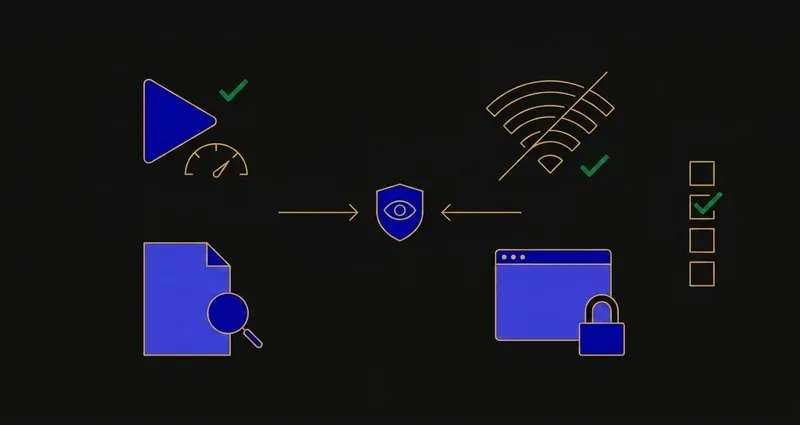
Plagiarism Checker. Scans student work automatically and alerts educators when a match is found. Aimed at written submissions.
AI Detector. Scans student submissions to help educators judge whether work was AI-generated. Note the scope: submissions, written text, not which option you clicked. More in does Edgenuity detect AI.
Speed Radar. Flags activities completed faster than expected, calibrated for activities containing video, fired specifically when playback is sped past what the player's controls allow. Full breakdown in Speed Radar explained.
Academic Integrity Report. Plagiarism flags, AI alerts and Speed Radar violations, consolidated per student. Patterns matter more than single events.
Every one of Edgenuity's integrity features is built to catch a video sped past its limit or a written answer that isn't yours. None of them are built to ask why you picked B.
District options: the access controls
These exist but only apply if your school enabled them.
IP Registry
Restricts assessment access to school networks. If a test won't open on home wifi but works in the building, this is usually why.
SecureLock Browser Experience
Prevents opening new tabs, browsers and programs while working in the product. Prevention, not detection.
Proctorio Lockdown Browser
The heavyweight option. Blocks userscripts and bots on district and personal devices; where webcam proctoring enters the picture.
Teacher Review
Alerts instructors when a student reaches an assessment so they can approve it before it unlocks.
Standard Edgenuity carries none of these by default, and there's no outside way to check which ones your school uses.
A worked example: what happens when Speed Radar actually fires
Say a student fast-forwards a lecture video past the speed the player's controls permit. Here's the documented chain:
- The activity gets flagged, showing up as an icon at the top of the teacher's Student Work pane.
- A hover tooltip explains why. Imagine Learning's own help material says the flag "could indicate low engagement with content or the student's use of a browser extension to fast-forward through content."
- The same event lands in the Attendance Log: a standing record, not a one-off popup.
- The teacher decides what happens next: spot-check the activity, message the student, or reset it for a redo.
Nothing in that chain touches a multiple-choice click made at a normal pace. It's calibrated for video, and specifically for speed past the player's own allowance.
The misconception: 'Edgenuity has no proctoring at all'
False, and it's the most common wrong answer to this question. Edgenuity ships a plagiarism checker, an AI detector and Speed Radar to every course by default, aggregated into a per-student Academic Integrity Report. Districts can layer an IP registry, SecureLock and full Proctorio proctoring on top of that. "Nothing to detect" was never accurate here.
What browsers actually expose
It's commonly claimed that "a web page can't tell if you switch tabs." That isn't true. The Page Visibility API (document.hidden, document.visibilityState, visibilitychange) lets any page know when it stops being the active tab, and document.hasFocus() reports whether its window has focus: standard, widely supported browser features, readable by any site.
What a page can't see is which site you switched to. It knows you left, not where you went, which is why SnoopSolve ships Privacy Guard: it overrides those properties and suppresses the focus and visibility events before the page sees them, so the switch never registers. More in can Edgenuity see your tabs.
What Edgenuity genuinely doesn't inspect
- It doesn't see into your other tabs, unless SecureLock is enabled, in which case leaving is blocked rather than logged.
- It isn't recording you by default. No webcam, no screen recording, unless a district has turned on Proctorio.
- The AI detector isn't reading your multiple-choice clicks. It scans submitted text; a correct answer at ordinary speed carries no documented signal.
Imagine Learning is candid about the limits: its own academic-integrity material acknowledges that addressing third-party tools on student-owned devices remains an ongoing challenge.
What this means practically
First, the monitored surface is narrower than "everything," but it's real. Video pacing, written-text originality and network location are genuinely watched, aggregated, and visible to a teacher.
Second, an ordinary click isn't what's being watched. Nothing in Imagine Learning's documentation describes inspecting the reasoning behind a multiple-choice or matching selection made at a normal pace; the stack targets automation, fabricated writing, and off-network access.
Third, if your district has SecureLock or Proctorio switched on, a browser extension isn't the right tool for that assessment, full stop. For everything else, SnoopSolve reads the question already on your screen and gives an accurate answer with the reasoning shown, a different job than trying to dodge a system that's watching more than most.
Frequently Asked Questions
Can Edgenuity detect cheating?
Edgenuity ships a plagiarism checker and an AI detector scanning written submissions, plus Speed Radar, which flags videos sped up past what the player's controls allow. Districts can also enable an IP registry, SecureLock and Proctorio, all consolidated into a per-student Academic Integrity Report.
Can Edgenuity see your other tabs?
A web page can tell when you switch away from it, through the Page Visibility API and document.hasFocus(). It cannot see which site you switched to. Where a district enables SecureLock, opening other tabs is prevented outright.
Does Edgenuity record your screen or webcam?
Standard Edgenuity does not. Recording arrives only with the optional Proctorio lockdown browser integration, which a district must enable.
What actually triggers a Speed Radar flag?
Completing a video activity faster than expected, by speeding playback beyond what the player's controls allow. It surfaces as an icon in the teacher's Student Work pane and Attendance Log, and can lead to a spot-check, a message, or the activity being reset.
Does Edgenuity's AI detector check multiple-choice answers?
No. The AI Detector scans submitted written text, essays and extended responses, to help a teacher judge whether it was AI-generated. It has no documented mechanism for evaluating a multiple-choice or matching selection.