Edgenuity Speed Radar: What It Flags and What Teachers See
Speed Radar is the Edgenuity feature students hear about last and ask about most. Here's what it actually measures, what your teacher sees when it fires, and the parts of the platform it doesn't touch.

What it is
Speed Radar is an Edgenuity feature that flags activities for review when a student progresses through them faster than expected. Imagine Learning introduced it alongside a plagiarism checker as part of a broader academic-integrity push. In the current EdgeEX platform it's calibrated for activities that include video, the part of a course with the most predictable expected duration.
What actually trips it
Speed Radar isn't a stopwatch on the whole activity. Imagine Learning's own help documentation is specific: an alert fires when a student completed an activity too quickly by speeding up one or more videos beyond what the tools in the player allow. The player ships some speed control, so moving through video faster than real time isn't automatically a problem; there's a ceiling on that control, and Speed Radar watches for playback pushed past it.
Imagine Learning is direct about why that matters: the flag could indicate low engagement with content, or a student's use of a browser extension to fast-forward through content. That second cause is named in the company's own documentation, not outside speculation. Any tool that accelerates video playback beyond the player's built-in controls sits in exactly the territory this feature was built to catch.
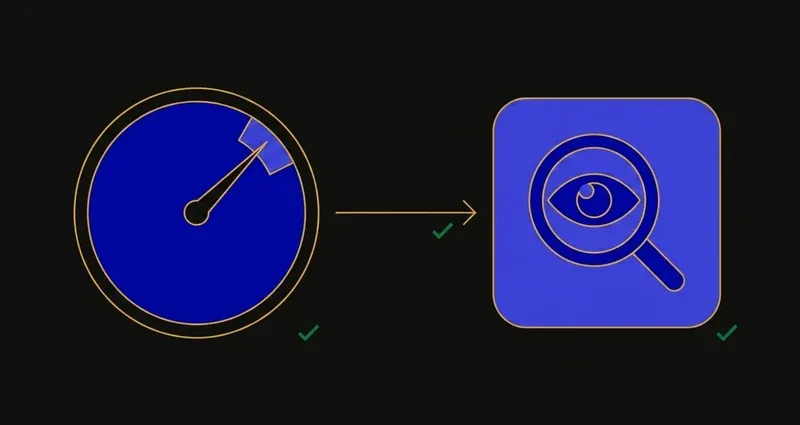
Speed Radar doesn't measure how long you sat on a page. It measures whether the video played back faster than the player's own controls allow, and flags the gap for a teacher to look at.
What your teacher actually sees
Not an alarm. A Speed Radar icon appears at the top of the Student Work pane, with a tooltip explaining why it fired.
Icon and tooltip
The flag shows in the Student Work pane; hovering it explains why it fired.
Spot-check
The teacher reviews how the activity was actually completed before deciding anything.
Contact the student
A direct check-in, often the whole outcome for one ambiguous flag.
Reset the activity
From the manage-activity panel; the activity becomes gradeable again from scratch.
A flag doesn't fail you, dock points, or lock your account; it surfaces a data point a human decides what to do with.
The misconception: it's just a timer
It's tempting to read Speed Radar as "finished faster than the class average, flagged." That's not what Imagine Learning describes. In EdgeEX the feature is calibrated for video-containing activities, and the trigger is playback speed exceeding what the player's own controls allow, not total elapsed time against a course-wide average. A student who skims a review video using the player's own fast-forward setting isn't doing what this feature watches for; a video finished far outside what any built-in control could produce is.
A worked example
Say an Instruction video runs about 12 minutes at normal speed. The player's controls let a student move through it faster than real time, so finishing in 8 or 9 minutes with nothing but those controls isn't unusual and isn't what gets flagged.
Finishing that same video in 90 seconds is different. No setting inside the player produces that outcome, so by Imagine Learning's own description the activity gets logged with a Speed Radar icon, and the tooltip points at the video component specifically. That's why "spot-check, contact, or reset" is the response, not an automatic penalty.
Where else it shows up
Speed Radar also surfaces in the Attendance Log, and it feeds the consolidated Academic Integrity Report alongside plagiarism and AI-detection alerts. A single flag is ambiguous, since students genuinely skim content they already know, but a pattern across activities reads differently to a teacher than one flag does. More on that report in can Edgenuity detect cheating.
What it doesn't do
- Not proctoring. No webcam, no screen recording; that's the separate, district-enabled Proctorio integration.
- Doesn't name a tool. It measures playback speed against what the player allows; Imagine Learning's wording frames the cause as "could indicate," not a confirmed identification.
- Not a general timer. Every non-video activity in EdgeEX sits outside its current calibration.
- Doesn't see your other tabs. That's a separate signal; full detail in can Edgenuity see your tabs.
What to do with this
First, the trigger is specific, not vague: playback pushed past what the player's own speed controls can produce, on a video-containing activity, not a hidden time limit.
Second, a flag is a conversation starter, not a verdict. It puts an icon and a tooltip in front of a teacher, who spot-checks, asks, or resets; nothing auto-fails an assignment.
Third, the pattern matters more than any single event, since Speed Radar results feed the same Academic Integrity Report as everything else Imagine Learning tracks.
None of this is about evading detection: it's about knowing what an icon and a tooltip actually mean before assuming the worst. SnoopSolve advances instruction at a normal, expected pace rather than a manipulated one.
Frequently Asked Questions
What is Edgenuity Speed Radar?
A feature that flags activities for review when a student completes them faster than expected. Imagine Learning's help documentation specifies the trigger: speeding up one or more videos beyond what the tools in the player allow. In EdgeEX it's currently calibrated only for activities that include video.
What exactly triggers a Speed Radar flag?
Playback speed, not total time. The activity has to include video, and the flag fires when it plays back faster than the player's own built-in speed controls allow. Imagine Learning states the cause could be low engagement with the content or a student's use of a browser extension to fast-forward through it.
What can a teacher do about a Speed Radar flag?
Hover the icon for a tooltip explaining why it fired, spot-check how the activity was completed, contact the student about it, or open the manage-activity panel and reset the activity so it has to be redone.
Does Speed Radar apply to every Edgenuity activity?
No. In EdgeEX it's calibrated around activities containing video, so it isn't a general timer across every question-based activity in a course.
Where else does a Speed Radar flag show up?
Beyond the icon in the Student Work pane, Speed Radar entries also appear in the Attendance Log and feed the consolidated Academic Integrity Report alongside plagiarism and AI-detection alerts, which is why patterns across activities matter more than any single flag.