Can Edgenuity See Your Tabs? What a Browser Actually Exposes
This question gets answered badly almost everywhere, usually by claiming browsers make tab-switching invisible. They don't. Here's the accurate version.

The claim you'll see everywhere, and why it's wrong
Search this question and you'll hear the same line every time: "a web page can't see your other tabs, it's a browser security boundary." That's half right in a misleading way. A page genuinely cannot see what's inside your other tabs, or which sites they are; that boundary is real. But it absolutely can tell the moment you leave it, which is usually what people actually mean when they ask.
What a browser actually exposes
Two standard features do this, neither new nor exploit-grade, and any website can read them the same way it reads your screen size.
Page Visibility API
document.hidden and visibilityState report whether the page is visible, and visibilitychange fires the instant that flips.
document.hasFocus()
Reports whether the document holds keyboard focus. Click into the address bar or another app, and it changes.
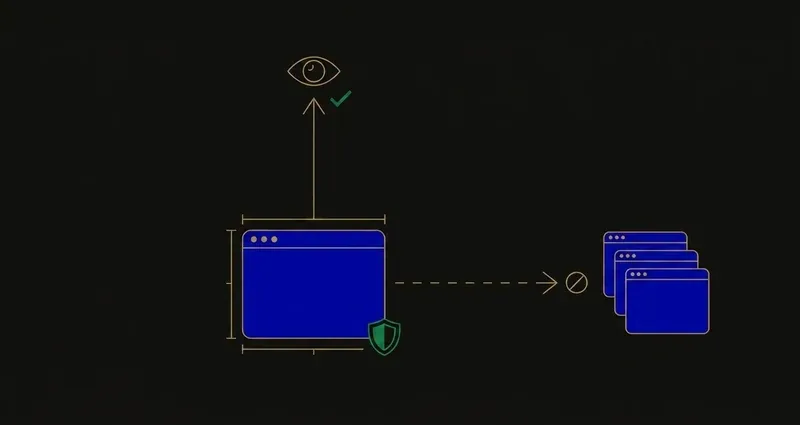
These exist so pages can pause video and save battery when nobody's looking. What neither reveals: which site you switched to, or anything inside that other tab. The page learns that you left. Never where.
The signal a browser hands a page is a light switch, on or off. It was never a name, a URL, or a screenshot of where you went.
A worked example: what actually fires, and when
Say you're mid-question on an Edgenuity quiz and you alt-tab to check a message. document.hidden flips to true, visibilityState changes to "hidden", and a visibilitychange event fires, all in the same tick. hasFocus() flips separately: it changes the moment focus leaves the document, even just clicking the address bar.
None of this carries a payload; there's no field for "switched to a messaging app," only a boolean flip and a timestamp. Switch back and everything flips again; a page watching closely can time how long you were gone, but it still can't say where.
What that means on Edgenuity
Edgenuity is a website like any other, so it reads exactly those signals: "does Edgenuity know when I switch tabs" is, at the browser level, yes.
That's why SnoopSolve treats visibility as something to handle, not ignore. Privacy Guard runs before Edgenuity's own scripts do, overriding document.hidden, visibilityState and hasFocus() so they always report as visible and focused, and suppressing focus, blur and visibility events before Edgenuity's own listeners see them. Switching tabs stops registering, scoped to the Edgenuity tab; the rest of your browsing is untouched.
The "security boundary" myth
A tab boundary really does exist: no page can read another tab's DOM, cookies, or rendered content, and that part of the claim is accurate. What it gets wrong is stretching that boundary to cover visibility, which isn't inside it: focus and visibility are broadcast on purpose to any page that asks, so browsers can manage battery and video. "Nothing can see anything" and "nothing can see where you went" are different claims, and only the second is true.
Copy and paste works the same way
Inside its own page, copy and paste are observable events, and plenty of assessment platforms listen for them. Outside its page, no: what you copy from a PDF or another site isn't visible, and nothing about its source travels with it.
Pasted text in a written submission still gets checked twice: the plagiarism checker scans it for matches, the AI detector scans it for machine-generated writing. See does Edgenuity detect AI. None of this applies to a multiple-choice question.
Recording, and the three things your district controls
Standard Edgenuity doesn't record your screen, webcam, or microphone. Three district-configured systems can change that:
Proctorio
An optional lockdown-browser integration a district enables per assessment. Adds real recording and announces itself, requesting camera or microphone permission.
SecureLock
Prevents new tabs, browsers and programs from opening at all inside the product. Nothing to detect, since there's nothing left to switch to.
IP Registry
Restricts specific assessments to the school's network, so they won't open from home, independent of what your browser reports.
Which of these three your school has switched on is invisible from outside, and it varies between schools and courses. If a specific assessment matters, ask your teacher: one question, the only reliable source.
What to do with this
Three practical conclusions. First, "tabs are a security boundary, nothing can see anything" is a half-truth, real for content, not for visibility. Second, the meaningful line isn't detectable versus undetectable, it's that versus which: Edgenuity can register that you left, never where. Third, if an assessment matters, the SecureLock, Proctorio and IP Registry question is worth one message to your teacher, the only place that answer lives.
If Privacy Guard's specific, scoped role here is what you needed to know, installing SnoopSolve is the next step.
Frequently Asked Questions
Can Edgenuity detect tab switching?
A web page can tell when it stops being the active tab, via the Page Visibility API and document.hasFocus(). It cannot see which site you switched to or what's in that tab. Where SecureLock is enabled, opening other tabs is prevented rather than detected.
Can Edgenuity detect copy and paste?
A page can observe copy and paste events inside its own page. It cannot see what you copy from a PDF or another site. Pasted text in a written submission is still checked by the plagiarism checker and AI detector, regardless of its source.
Does Privacy Guard make SnoopSolve undetectable?
No, and we don't claim that. Privacy Guard overrides document.hidden, visibilityState and hasFocus() so the LMS doesn't register that you left the tab: one specific, scoped mechanism. It has no effect on the plagiarism checker, the AI detector, or a district's SecureLock or Proctorio configuration.
What does SecureLock do differently from ordinary tab detection?
Ordinary tab detection is passive: a page reads a signal you're already emitting. SecureLock is active prevention: new tabs, browsers and programs simply don't open, so there's nothing to detect in the first place.
Does Edgenuity record your screen or webcam?
Standard Edgenuity does not. Recording only arrives with the optional Proctorio lockdown browser integration, which a district must enable and which asks for camera and microphone permissions when active, so it's obvious when it's on.