Does Edgenuity Detect AI? What the AI Detector Scans
One word decides the whole answer. Not 'AI'. Submissions. Edgenuity's AI Detector reads what you wrote, not what you clicked. Here's the line, exactly where it sits, and what's on each side of it.

The short answer: yes
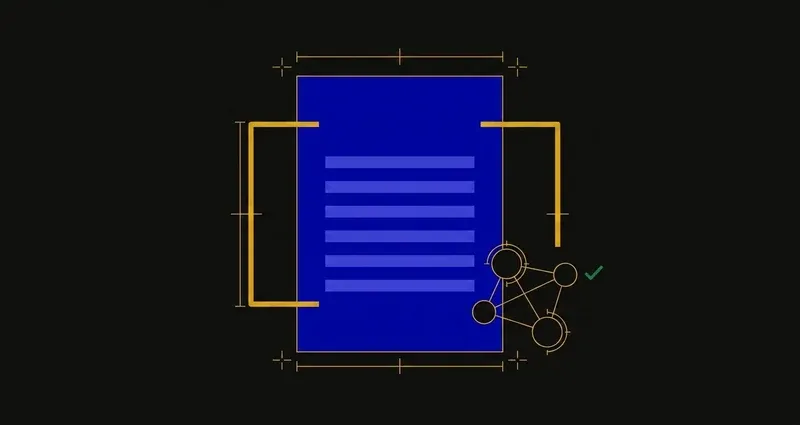
Imagine Learning ships an AI Detector as part of Edgenuity's academic-integrity features. Its published description: it scans student submissions to help educators determine if a student submission was created using an AI tool.
It sits alongside a Plagiarism Checker, which scans for matches to existing sources, and Speed Radar, which flags fast completions. All three feed one academic integrity report, per student.
The answer is unambiguous. The question worth answering is what it scans.
The scope, precisely
The word doing the work is submissions.
That means written work: extended responses, short written answers, essays. Prose you produced and handed in.
It does not mean the option you clicked, the order you dragged a set into, or the region you tapped on a diagram. There's no meaningful sense in which selecting "C" can be AI-generated: the answer space is four letters.
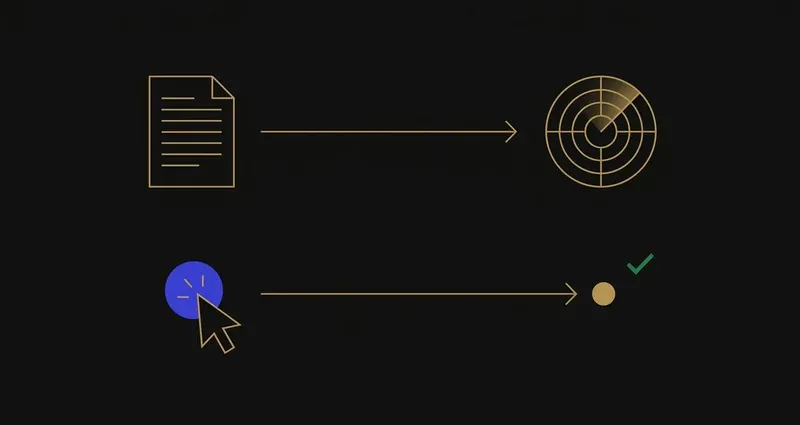
Edgenuity's AI Detector doesn't read your answer choices. It reads your sentences, and only on the activities that ask you to write any.
This isn't a loophole; it's how the technology works. An AI-writing detector scores statistical features of text, a signal that only exists once there's a paragraph to measure. Give it a clicked letter and there's nothing left to analyse.
What the AI Detector scans
Extended responses, short written answers, essay-style activities: anywhere a lesson asks for your own prose.
What it structurally can't scan
Multiple choice, multi-select, matching, drag-and-drop, clicking a diagram region: no text for a writing model to measure.
Most Edgenuity activities fall in that second column: warm-ups, quizzes, unit tests and much of an assignment run on multiple choice, matching and drag-and-drop. Edgenuity's AI detection covers a specific slice of a course, not the bulk of it.
The misconception to drop
It's easy to assume "Edgenuity has an AI detector" means every answer you submit gets scanned, quiz questions included. It doesn't work that way: a multiple-choice answer never passes through it, since there's no writing in it to read.
A worked example: same lesson, two answer types
A Biology lesson ends with two activities back to back. The Quiz: ten multiple-choice questions, click and submit; no text for the AI Detector to touch. The Assignment's short-response question: "Explain, in your own words, why mitochondria are called the powerhouse of the cell." Two typed sentences, submitted: exactly the kind of submission the detector's published scope covers.
Same lesson, same student, same day. One activity sits outside the detector's reach entirely; the other sits squarely inside it, purely because of the activity type.
False positives are real
Worth knowing regardless of how you work, since AI detectors produce them across the sector.
- Keep your drafts. Version history in a document editor shows work forming over time, the single most useful thing to have if questioned.
- Be able to talk about your own work. A teacher's first move is usually a conversation, and discussing your reasoning is persuasive in a way a flat denial isn't.
- Read your district's policy. It sets out the actual process and your right to respond, and these vary between schools.
What to do with all this
Three practical conclusions.
First, the AI Detector's reach is narrower than its name suggests: a written-submission scanner, not a course-wide surveillance layer.
Second, the Plagiarism Checker, Speed Radar and AI Detector aren't separate risks: one academic integrity report. Full picture in can Edgenuity detect cheating, pacing specifics in Speed Radar explained.
Third, getting through the multiple-choice-heavy majority of a course faster is a matter of answering what's already on your screen correctly, reasoning shown, which is exactly what SnoopSolve is built for. Not a tool for generating an essay in your own voice, and not a claim of invisibility: it answers the question types most of a course is built from, the kind the AI Detector was never scanning.
Frequently Asked Questions
Does Edgenuity detect AI?
Yes. Imagine Learning ships an AI Detector that scans student submissions to help educators determine whether a submission was created using an AI tool. Its alerts feed a consolidated academic integrity report.
What does the Edgenuity AI detector actually scan?
Student submissions: written work such as extended responses and short written answers, not which option a student selected on a multiple-choice or drag-and-drop item.
Can the AI detector flag a multiple-choice or drag-and-drop answer?
No. An AI-writing detector scores statistical features of prose: sentence structure, word choice, phrasing. A clicked option, a dragged item, or a tapped region produces no text, so there's nothing to score.
Does Edgenuity also check for plagiarism, and is that different from the AI detector?
Yes, and yes. A separate Plagiarism Checker scans student work and alerts educators when a match to an existing source is found. The AI Detector asks whether text was machine-generated; the Plagiarism Checker asks whether it was copied. Both feed the same report.
Where do AI Detector flags end up, and what happens next?
Flags from the AI Detector, the Plagiarism Checker and Speed Radar aggregate into one academic integrity report per student, so a teacher sees them together. From there it's a school process, not an automated penalty: typically a teacher review, then often a conversation with the student, governed by district policy.