How to Skip Edgenuity Videos (2026)
Instruction video is the single biggest block of time in most Edgenuity courses, which is why this is one of the most-searched questions about the platform. Here's an honest account of what works, and what it actually risks.


Why this question exists at all
Edgenuity instruction activities are video-first: an on-screen teacher walks through the lesson, questions interspersed, and the video gates progress to everything after it.
On a typical lesson that's twenty-odd minutes before the assignment. Across a full course, especially a credit-recovery load with several courses running, it's the largest single block of time you'll spend, and by a wide margin. The question isn't laziness; on a fixed deadline it's arithmetic.
Why the manual tricks are unreliable
The workarounds that circulate mostly fall into three shapes.
Drop the connection, drag, reconnect
Kill the wifi, drag the timeline forward, reconnect. Timing-dependent, works inconsistently, and often resets the activity instead of advancing it.
Refresh mid-video and jump
Depends on how progress was last checkpointed. Frequently loses the progress you had rather than skipping ahead of it.
Paste a skipper script
Works until the platform changes, which it does. EdgeEX has already broken guides written for the classic player.
All three target implementation details of the player, which change between versions, so a guide written against the classic player may describe something that no longer exists.
This isn't only a reliability problem
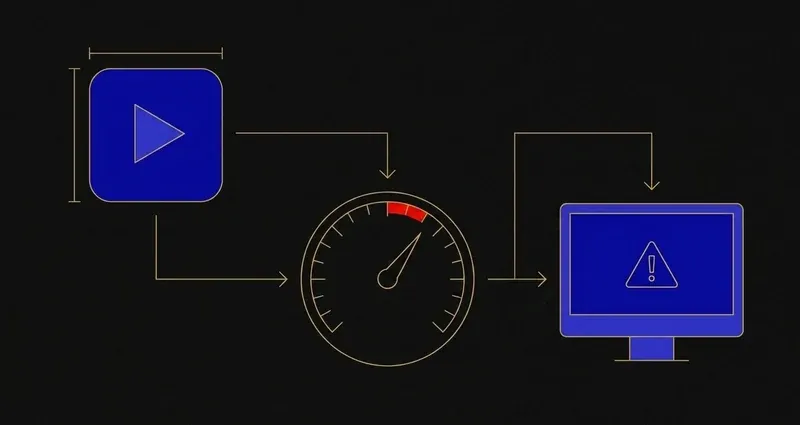
Imagine Learning's Speed Radar documentation names the exact behaviour these tricks perform: a browser extension or script speeding a video past what the player's own controls allow. It's currently calibrated for video activities, and a flag surfaces to the teacher as an icon, not a hidden penalty, letting them spot-check, reach out, or reset the activity. A documented consequence, not a rumor.
Imagine Learning didn't leave Speed Radar vague. Its own documentation names the exact behaviour it watches for: a browser extension pushing a video past the speed its own player allows. That isn't a rumor students trade between classes; it's the feature's stated design.
The practical result: people spend longer making the trick work than the video would have taken. That's why "how to skip edgenuity videos 2025" and "…2026" are both live searches: the answers keep expiring.
A worked example: what the manual-trick math actually looks like
Say a lesson's Instruction video runs the usual 20 minutes. A student tries the drop-and-reconnect trick: the first attempt fails and the activity relaunches, about 5 minutes gone; a second attempt gets further before the player rejects the jump, another 6 minutes gone. By the time a working sequence turns up, close to 15 minutes are spent avoiding the video, which still has to be finished.
That's the reliability problem above, and those failed attempts are exactly the pattern Speed Radar exists to notice on video activities.
What works instead: automatic advancement
The reliable approach isn't a trick at all: it's a tool that advances the activities for you.
SnoopSolve's Auto-Solve works through the lesson as a unit: instruction, warm-ups and summaries are advanced automatically, and the assignment, quiz or test behind them is answered. There's nothing to time, nothing to paste, and no version-specific behaviour to get right. You start it and the lesson closes.
A workaround exploits something incidental; a feature is built to do the job and maintained when the platform moves.
Getting the questions too
Worth saying, because skipping only the video leaves you half a lesson. Instruction is the biggest single block, but the assignment and quiz behind it are where students get stuck: one question you can't crack turns a thirty-minute assignment into ninety.
Auto-Solve does both: every question type, including multiple choice, multi-select, matching, drag-and-drop and ordering, fill-in-the-blank, and written responses. Full detail on skipping Edgenuity videos automatically.
What about your activity log?
Reasonable question, and a separate mechanism from Speed Radar above. Browsers expose more than most people assume: the Page Visibility API lets any page see when you switch away from it, and document.hasFocus() reports whether the window is focused. Any website can read those, Edgenuity included.
SnoopSolve ships Privacy Guard, which overrides those signals so tab switches, window changes and focus loss never reach the page. More on what Edgenuity can and can't see, and how that differs from Speed Radar's pacing check, in can Edgenuity see your tabs.
Will it run on a school Chromebook?
This is the one that catches people out. Most video-skipper tools are Tampermonkey userscripts, and managed school Chromebooks generally block installing a script manager, so they're unavailable to a lot of the students looking for them. SnoopSolve is a real browser extension: it installs on managed Chrome the same way it does at home.
What to do with all this
Three things actually matter here.
First, the manual tricks cost more time than they save, before any flag ever enters the picture.
Second, the risk isn't hypothetical: Imagine Learning documents Speed Radar's trigger as a browser extension pushing video past what the player allows, exactly the category those tricks sit in.
Third, the video is one part of a five-part lesson, so a tool that only handles Instruction still leaves the Assignment and Quiz behind it, which is exactly why SnoopSolve's Auto-Solve advances instruction, warm-ups and summaries automatically and answers what follows.
Frequently Asked Questions
Can you skip Edgenuity videos?
The player deliberately limits how far ahead you can drag, so manual workarounds are fiddly and version-dependent. Automatic advancement handles instruction, warm-ups and summaries without needing a trick to work.
Why did the Edgenuity video skip trick stop working?
The circulating workarounds target specific player behaviour, so they break when the platform updates. Userscript-based skippers break the same way and depend on a maintainer to patch them.
What's the fastest way through an Edgenuity lesson?
Advancing the instruction activities and answering the questions behind them, so the lesson closes end to end rather than leaving you the second half.
Does Edgenuity know if you speed up a video?
Speed Radar flags activities completed faster than expected, and in EdgeEX it's currently calibrated for video activities. Imagine Learning's own documentation names a browser extension used to fast-forward content as one possible cause. A flag shows the teacher an icon, not an automatic penalty, and they can spot-check the activity, contact the student, or reset it.
Will a video-skipping tool work on a school Chromebook?
Most circulating skip tools are Tampermonkey userscripts, and managed school Chromebooks generally block installing a script manager, so they're unavailable on district devices. A real browser extension installs on managed Chrome the same way it does at home.