Edgenuity Test Locked? Why It Happens and How to Get It Opened
A locked screen instead of questions. A refresh that changes nothing. Somewhere online, a tool promises a way around it. There isn't one, here's exactly why, and what actually gets the gate opened in the next few minutes.

The answer, first
You cannot unlock an Edgenuity assessment yourself, and no tool can do it for you. Not an extension, not a userscript, not anything marketed as unlocking assignments.
That's not us declining to help. It's a statement about where the lock lives.
Why the lock cannot be picked from your side
When an Edgenuity assessment is gated, the gate is enforced on your school's side of the system. Imagine Learning ships a teacher-review feature that alerts instructors the moment a student reaches an assessment, so they can approve it before it unlocks.
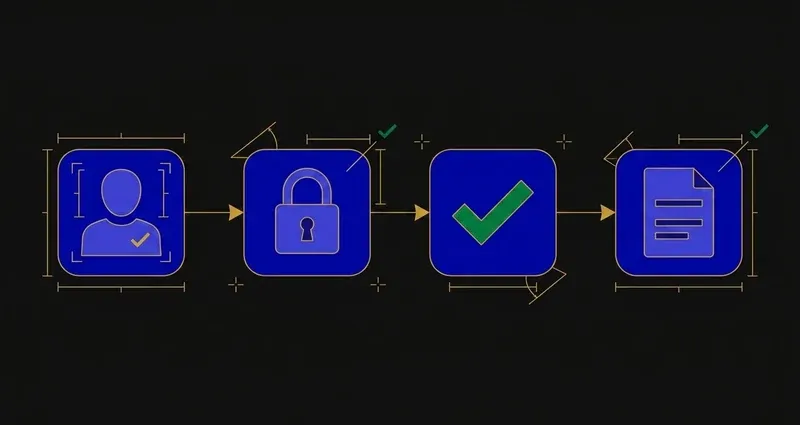
The consequence is architectural. Your browser asks a server for an assessment; the server checks whether your account is permitted to have it, and if not, it's never sent. Nothing on your screen to modify, because nothing was delivered.
It's the same reason you can't unlock a paid streaming episode by editing the page. The thing you want isn't hidden. It's absent until the server decides to send it.
The gate isn't a puzzle for you to solve. It's a decision only your teacher can make, and every minute spent hunting for a workaround is a minute you could have spent asking them to make it.
The 'unlock trick' myth
Several Edgenuity tools advertise an assignment or assessment unlocker, so it's worth being precise instead of dismissive. What features like that generally touch is client-side navigation state: the sequencing logic deciding which activity you can open next, inside content your account already has access to.
What none of them can do is make a server release an assessment your account isn't authorized for. Two different problems, rarely distinguished in the marketing, which is how a feature that does something real gets sold as doing something impossible. If you've run one of these against a locked unit test and had nothing happen, this is why.
The other reason a test won't open
A locked assessment isn't always a teacher gate. Some districts enable an IP registry that restricts assessment access to school networks, blocking home access entirely, independent of teacher approval.
The tell is location, not time. The assessment opens fine on campus and refuses at home, on any browser, on any device. If that's your pattern, nothing about your account is broken, and no tool changes it: you need the school network, or a confirmed exception.
Where a district also requires a separate secure testing environment for an assessment, that requirement is part of the same gate. No amount of retrying changes what the server will send.
What actually works, and it's faster than you think
Message your teacher, now
Say which assessment you've reached and that you're ready. Teachers unlock assessments constantly: it's routine, not a favor.
Ask early, not at 10pm
Send the message when you start the unit, so the gate is already open by the time you arrive at it.
Ask how much notice they need
Some teachers unlock within the hour, some once a day. Knowing which changes how you plan: see [how to finish Edgenuity fast](/blog/how-to-finish-edgenuity-fast).
Ask about attempts in the same message
How many you get, and whether they'll grant an extra one if it goes badly. Two answers for one message.
A locked test, start to finish
Say a student, call her Maya, finishes the last lesson in Unit 4 on a Tuesday evening. She opens the unit test and gets the locked screen instead of questions.
She doesn't refresh, switch browsers, or search for an unlocker: none of that changes anything. Instead she messages her teacher that night: "Finished Unit 4, ready whenever you can open it."
Wednesday morning, her teacher checks the Student Work pane, sees the completed lessons, and opens the gate before first period. By the time Maya sits down after school, the test is already unlocked. One overnight message, not a technical problem she needed to solve.
What to actually do
Three practical takeaways.
First, stop looking for a workaround. The results promising one are describing a different feature, or aren't being straight with you.
Second, message your teacher the moment you reach the locked assessment, not after exhausting every browser trick you can find. It costs thirty seconds and works faster than anything else.
Third, build the habit of asking early in a unit, not late. A gate opened before you get there costs nothing. A gate you discover at 10pm costs you the rest of the night.
Nearly everything ranking for "how to unlock edgenuity test without teacher" is a tool implying it can help. We'd rather rank for it with the true answer: the lock is server-side, and the message to your teacher is the fix.
Once a locked assessment is actually open, finishing the rest of the course fast is the more useful problem to solve.
Frequently Asked Questions
Can you unlock an Edgenuity test without a teacher?
No. Assessment locks are enforced on your school's side of the system, not in your browser, so no extension, script or tool running locally can open one.
Why is my Edgenuity test locked?
Usually a teacher review gate: Imagine Learning ships a feature that alerts instructors when a student reaches an assessment so they can approve it before it unlocks. It can also be an IP registry restriction limiting assessments to school networks.
What about tools that claim to unlock assignments?
Those generally act on client-side navigation state rather than the server-side gate. They cannot grant access your account does not have, and a server that will not serve an assessment does not serve it regardless of what your browser displays.
How do I get a locked Edgenuity test unlocked quickly?
Message your teacher as soon as you reach the locked assessment and tell them which one you're ready for. Do it at the start of a work session rather than the end, since a gate opened before you arrive at it costs nothing, while one discovered at 10pm can cost you the rest of the night.
My Edgenuity test opens at school but not at home. Is that the same lock?
No, that's a different mechanism. Some districts enable an IP registry that restricts assessment access to school networks, which is unrelated to the teacher review gate. The tell is that it's location-dependent rather than time-dependent: it opens on campus and refuses off campus regardless of whether a teacher has approved it.