Edgenuity Guided Notes: The Study Guide Nobody Uses
One document ships with every Edgenuity lesson. It isn't graded. It isn't required. Quizzes, unit tests and the cumulative exam are all built directly on top of it, and almost nobody fills it in.

The claim, stated plainly
Every Edgenuity lesson ships with guided notes: a document, often flagged in the lesson with a green box, that follows along with the Instruction video and leaves blanks for you to fill in.
District-published Edgenuity student guides state something worth quoting directly: quizzes, tests and exams are heavily based on the guided notes.
That isn't a study tip someone invented on a forum; it's in the material schools hand out with the platform. It means the guided notes are, functionally, a pre-written study guide for every assessment, issued in advance, for free, lesson by lesson. Almost nobody fills them in.
How the pieces actually connect
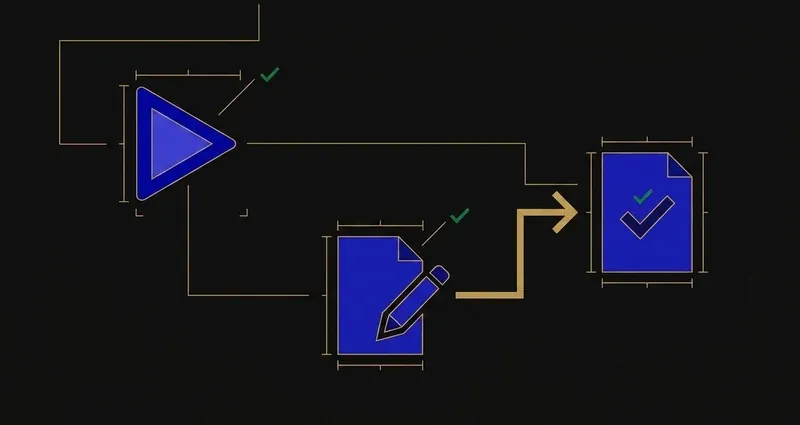
Instruction plays once. The guided notes capture it as you go. The Quiz, later, draws its questions from that same content, which is why a completed set of notes and the upcoming quiz cover almost identical ground.
The guided notes aren't a summary of the lesson. They're a preview of the quiz, handed to you before the quiz exists.
Most students do the opposite when a unit test arrives: scroll back through lessons they half-remember, and hunt for a Quizlet deck that matches (it usually doesn't, here's why). That route takes two hours and mostly fails. Opening a completed set of guided notes covering the exact content the test was built from takes twenty minutes and works. They go unused anyway because the payoff is deferred: filling in a blank during lesson three feels like extra work, and it pays off in week six.
A worked example: one blank, one quiz question
Say a lesson's Instruction covers the causes of a historical event, and the notes have a blank next to "primary cause:" that the video fills in around minute six. Write it in as it plays and you have it, verbatim, in a document you control. Skip it, and you're relying on memory of a video watched once, weeks before the quiz.
The Quiz that follows almost always asks that same fact back, often as a short multiple-choice or fill-in-the-blank item. That's not a coincidence: someone building the course decided it mattered enough to test. Filling it in is answering the quiz question before it's asked.
The optional-busywork myth
Guided notes usually aren't graded directly, which makes it easy to file them under optional. That's backwards: course weights apply to quizzes, tests and exams, the exact items the notes are built to prepare you for. Treating an ungraded document as skippable, when it's the closest thing to an answer key the platform legitimately hands you, is the single most common way students leave easy points on the table.
How to actually use them
Open the notes before the Instruction, not after. The document follows the video, so blanks arrive in the same order as the content.
Fill them in as it plays, not from memory afterward. You're already sitting through those minutes; writing while you watch costs nothing extra.
Don't transcribe everything, just the blanks. They mark what the course considers testable, so anything the notes ask for is a quiz candidate.
Keep them in one place per course. The cumulative exam pulls from everything covered, and a complete set beats anything else you own for it.
The other study tools worth knowing about
Guided notes aren't the only mechanism inside a course. Knowing what each of these does, and doesn't do, during an assessment changes how you prepare.
eNotes
An in-product notebook you can write in as you work. Depending on your teacher's settings, you may be permitted to use eNotes during a quiz: it's a per-teacher configuration, so ask rather than assume.
Glossary
Available during Instruction and Assignment activities, but disabled the moment an assessment starts. Vocabulary is something to capture on the way through, not look up later.
EdgeEX study plans
Generated after practice assessments, linking back to the specific lessons you struggled with. Reactive, built from what you already got wrong, rather than proactive like guided notes.
Progress bars
Unit-level completion indicators inside EdgeEX. Useful for pacing, not content: they tell you how much is left, not what's on it.
If eNotes are allowed on your quizzes, anything you record during Instruction becomes available at assessment time, legitimately and by design. Worth one question to a teacher.
What to do with all this
Three practical conclusions.
First, guided notes are the highest-leverage habit on the platform: twenty extra minutes per lesson, directly covering what quizzes, tests and the cumulative exam are built from.
Second, fill them in during Instruction, not after: the video only plays once, and the blanks are ordered to match it, so catching up from memory later is strictly harder.
Third, stack the rest around them, not instead of them: ask about eNotes, capture vocabulary before the glossary locks, and let EdgeEX's study plans patch whatever the notes didn't cover. For the wider structure this sits inside, see how does Edgenuity work.
For the mechanical side of clearing the rest of the lesson once your notes are filled in, see what still works on Edgenuity.
Frequently Asked Questions
What are Edgenuity guided notes?
A fillable document, often flagged in the lesson with a green box, that follows the instruction and has blanks for you to complete as you go. District student guides state that quizzes, tests and exams are heavily based on them.
Are Edgenuity guided notes graded?
Usually not directly. Course weights apply to quizzes, tests and exams, so the guided notes matter through what they prepare you for rather than as a score of their own.
Can I use eNotes during an Edgenuity quiz?
Sometimes. Whether eNotes are permitted during a quiz is a teacher setting, so it is worth asking directly rather than assuming.
Is the Edgenuity glossary available during a quiz or test?
No. The glossary is available during Instruction and Assignment activities, but it is disabled once an assessment starts, which is exactly why any term worth remembering belongs in your guided notes, not a later lookup.
What are EdgeEX study plans, and are they the same as guided notes?
No. EdgeEX generates personalised study plans after practice assessments, linking back to the specific lessons you struggled with, alongside unit-level progress bars. Guided notes are lesson-level and proactive; study plans are unit-level and reactive, built from what you already got wrong.