How Does Edgenuity Work? The Whole Course Structure Explained
A course loads. Units, lessons, a quiz at the end of each one. No map, no explanation for why the number on your dashboard doesn't match the one on your report card. Somewhere underneath, a formula is already running. Here's every gear, in order.

What Edgenuity is
Edgenuity is online courseware for grades 6 to 12, made by Imagine Learning and sold to districts and schools, not students. Your school assigned you to a course inside it; you didn't choose it.
It shows up most in credit recovery, original credit, summer school, virtual academy and homeschool programmes, usually with a deadline attached, which is why the structure is worth ten minutes.
The current generation is branded EdgeEX. Some districts still run the classic version, which is why help articles sometimes contradict each other. Before 2015 the whole product was called e2020, a name still floating around old forum threads.
The shape of a course
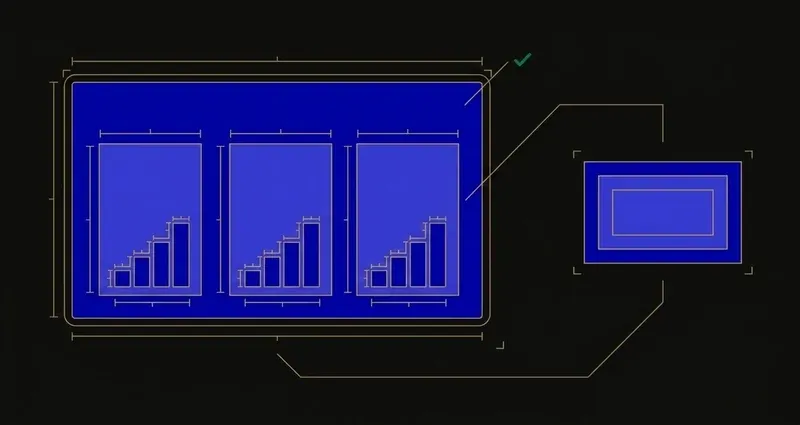
Three levels, nested: Course → Units → Lessons → Activities.
Every click that produces a grade is an activity, sitting inside a lesson, inside a unit, inside the course. The rest is organisation.
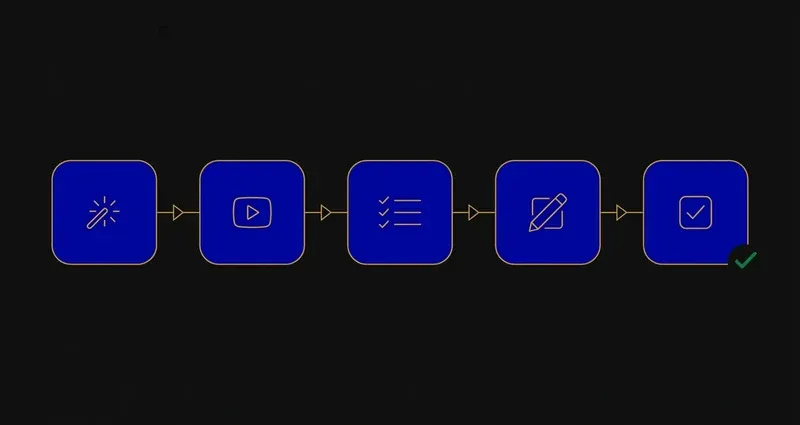
Inside a lesson: five activities, always in this order
Zoom into a single lesson and the sequence never changes.
Warm-Up
A short opener. Engages critical thinking, not assessment: nothing here hurts your grade.
Instruction
The core content: a video lecture with an on-screen instructor, questions interspersed. Longest activity, most-skipped.
Summary
A short review pass connecting what the lesson covered.
Assignment
Practice applying the lesson. Not separately weighted, but still counts toward completion.
Quiz
End-of-lesson assessment, typically 10 questions with two attempts, a teacher setting that varies.
That Instruction step is exactly why how to skip Edgenuity videos is a more complicated question than it looks: skipping the video doesn't skip the Quiz right after it.
Above the lesson: unit tests, the cumulative exam, and pretests
Three bigger checkpoints sit above the lesson level.
Unit tests land at the end of each unit and pull from every lesson inside it. Some courses add a Unit Test Review beforehand; whether it's graded depends on the course's configured weights. More in Edgenuity unit tests explained.
The cumulative exam sits at the end of the course and pulls from everything in it: the single highest-stakes item in most courses. More in the cumulative exam guide.
Pretests exist too, and pretest attempts don't count against your quiz attempts, the mechanism behind "testing out." A strong pretest score can skip you past activities you've already mastered, but that's configuration-dependent, not guaranteed.
Two grades, and only one of them is real
Edgenuity tracks two numbers. Overall Grade reflects only submitted work. Actual Grade counts everything unfinished as a zero:
Actual Grade = (Completion ÷ Target Completion) × Overall Grade.
Edgenuity doesn't lower your grade because you got something wrong. It lowers your grade for the work you haven't touched yet, and that number moves every day, whether you log in or not.
The Actual Grade, not the Overall Grade, is what flows to the SIS, the report card, and athletic-eligibility checks. Full mechanics in Edgenuity's Actual Grade explained.
A worked example: same scores, two different Actual Grades
Say a student has an Overall Grade of 90% on everything submitted.
Behind pace: 60% completion against a 75% target. Actual Grade = (60 ÷ 75) × 90 = 72%.
Caught up: completion reaches the 75% target, Overall Grade still 90%. Actual Grade = (75 ÷ 75) × 90 = 90%.
Nothing about the work's quality changed: only how much existed. A 90%-quality student can show up as 72% on the number that reaches the report card, purely on pace.
The Assignment myth
Only quizzes, tests and exams carry configured weight. Warm-Ups, Instruction and Summary aren't separately weighted, and Imagine Learning itself publishes guidance on assignments that don't directly influence the grade. Grinding an Assignment for "grade points" isn't really what's happening. But skipping it isn't free either: it still counts toward completion, which still drives the Actual Grade formula above.
Study tools inside the course
Guided notes are the most under-published fact on this platform: a fillable PDF (marked with a green box) accompanies each lesson's Instruction, and district student guides state directly that quizzes, tests and exams are heavily based on the guided notes. Filling them in as you go is the highest-leverage habit here: see Edgenuity guided notes.
A few more sit alongside them: eNotes, an in-product notebook you may be allowed to use during quizzes depending on teacher settings; the Glossary, available during Instruction and Assignment but disabled once an assessment starts; and EdgeEX's personalised study plans, generated after practice assessments and linking back to the lessons you struggled with, plus unit-level progress bars.
How assessments are controlled
Three teacher-side settings shape everything else.
- Attempts and retakes. Teachers set attempt limits and can cap them so you're moved on automatically. Where retakes exist, the highest score counts.
- Review options. Per assessment: no review, your answers only, or correct answers with explanations. That's why some quizzes show what you missed and others don't.
- Teacher review gates. Assessments are frequently locked until a teacher opens them, server-side, with no workaround; see how to unlock Edgenuity tests.
Why courses differ so much between schools
Because districts configure their own. Unit ordering, included topics, question pools, attempt limits, review options and integrity features are all local decisions.
That's the root cause of the most common Edgenuity frustration: the answer lists and PDFs floating around online describe a course that looks like yours but usually isn't. See Edgenuity answers explained.
What to do with all this
Three practical conclusions.
First, the guided notes aren't optional busywork: they're the closest thing to a free study key the platform hands you, since quizzes and exams are built directly from them.
Second, completion is the real currency, not just correctness, because Actual Grade multiplies your Overall Grade by a completion ratio, unfinished work costs you even when everything submitted is perfect.
Third, the fastest way to close that gap without guessing is seeing the question worked through the moment it's on screen, which is exactly what SnoopSolve is built for.
Frequently Asked Questions
What activities are in an Edgenuity lesson, and in what order?
A standard lesson runs Warm-Up, then Instruction (the video lecture), then Summary, then Assignment, ending with a Quiz: usually 10 questions with two attempts, though attempt counts are a teacher setting. Above the lesson level sit Unit Tests, and at course level a Cumulative Exam.
What's the difference between Overall Grade and Actual Grade in Edgenuity?
Overall Grade only reflects the work you've actually submitted. Actual Grade factors in everything not yet done as a zero, using the formula Actual Grade = (Completion ÷ Target Completion) × Overall Grade. The Actual Grade is the one that flows to the SIS, the report card, progress reports and athletic-eligibility checks, so falling behind on pace damages it even when every submitted score is perfect.
Do guided notes actually matter for Edgenuity quizzes and tests?
Yes. District student guides state directly that quizzes, tests and exams are heavily based on the guided notes PDF that accompanies each lesson's Instruction. Filling them in as you watch is the single highest-value study habit on the platform, and it's rarely publicized.
Can a pretest let me skip an Edgenuity lesson?
Pretests exist in many courses, and pretest attempts don't count against your quiz attempts, which is the mechanism behind "testing out." Whether a passing pretest score actually skips you past the lesson's activities depends on how your course is configured, so treat it as something that can happen, not something that always will.
Can I retake an Edgenuity quiz, test, or exam?
Where retakes are enabled, yes: you can relaunch the assessment until your attempts run out, and the highest score counts toward your overall grade. Teachers set the number of attempts per assessment and can cap it so you're moved on automatically once it's reached.