Edgenuity Unit Tests: Attempts, Reviews and Whether They Count
Every lesson in the unit, one test, no map. How many attempts you get, whether the review before it counts for a grade, whether it's even unlocked yet: none of it is written down anywhere you can see. Here's what's actually configurable, what isn't, and how to find out which is which in your course.

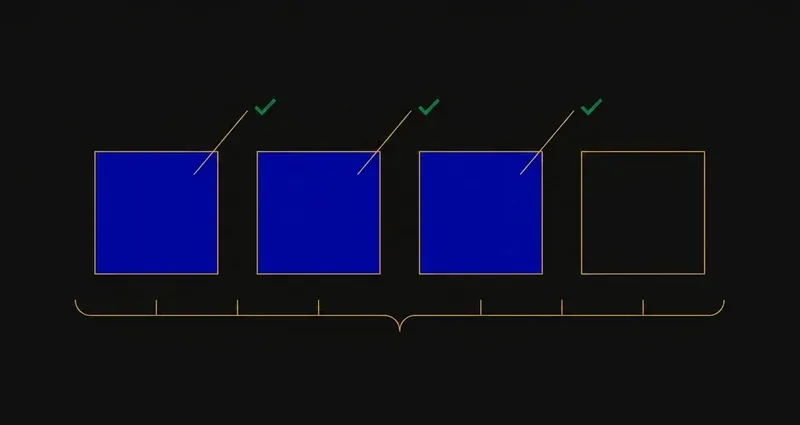
Where unit tests sit
Edgenuity's assessments stack in three levels: quizzes at the end of each lesson, unit tests at the end of each unit, and a cumulative exam at the end of the course. Full breakdown in how Edgenuity works.
A unit test pulls from every lesson inside the unit at once, not just the last one you watched. That's why students coasting through individual quizzes sometimes hit a wall here: the quiz tested what you just watched, the unit test asks you to still have lesson one in your head by lesson five.
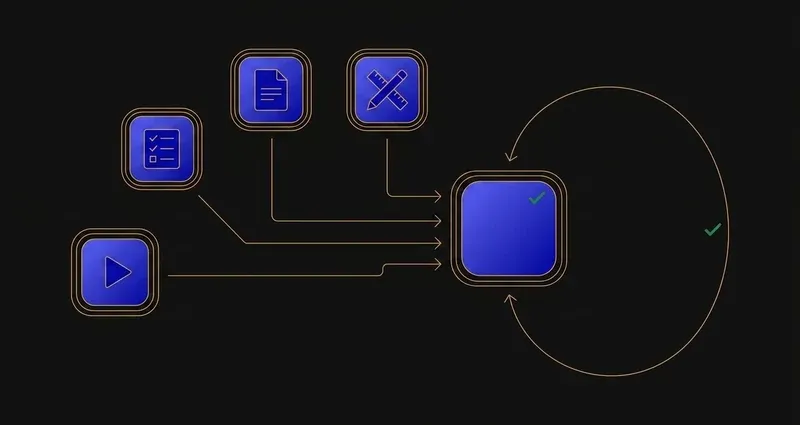
Some courses insert a Unit Test Review in front of it, a checkpoint built to look like the test. Whether it's graded is the single most-asked question in this cluster, and it's genuinely not the same answer everywhere.
Does the unit test review count?
The honest answer: it depends on how your course was weighted.
Edgenuity applies grade weights to quizzes, tests and exams, with the percentages set per course. Imagine Learning also documents assignment types that don't influence the course grade at all, so some items in your activity queue are genuinely unweighted no matter how official they look.
The myth: unit test reviews always count
They don't, automatically. A unit test review only carries weight if your course's configuration says it does, set per district, sometimes per teacher. Two students in the same school, different sections of the same class, can have a review that's graded for one and just practice for the other.
How to find out for certain: ask your teacher, one message. It changes how you triage a backlog: unweighted, it's a study aid you're free to skip; weighted, it's work you can't blow off.
Worth saying regardless: even an unweighted review is built against the same question pool as the test itself, the closest thing to an official practice test Edgenuity hands you. Skipping it to save twenty minutes is a bad trade a lot of students make.
The three settings your teacher controls
Everything about how a unit test behaves traces back to three teacher-set choices, none visible to you until you hit the test.
Attempts and retakes
Teachers set how many attempts you get and can cap the total so you're moved on automatically once it's reached. Where retakes exist, the highest score counts toward your grade, not the most recent one.
Review options
Per assessment, a teacher picks no review, your answers only, or correct answers with explanations. That single toggle decides whether a finished test becomes a study resource or just a number.
Teacher review gates
Assessments are frequently locked until a teacher opens them. It's server-side on the district's account, so no tool or workaround gets around it; see how to unlock Edgenuity tests below.
A retake can only move your score up. If you have one left and you already scored badly, the only mistake is not using it.
Teachers can also grant an extra attempt outside the course default; if you're out and it went badly, ask. Separately, pretest attempts never count against your unit test or quiz attempts, a detail that trips people up.
A worked example: how the highest-score rule actually plays out
Say your course allows two attempts on a unit test, and retakes are enabled.
Attempt one: cold, no guided-notes review first: 68%.
Attempt two: after going back through the guided notes for the unit: 84%.
Because the highest score counts, your gradebook shows 84%, not an average and not whichever was most recent. The 68% attempt effectively disappears from the grade, though a teacher can usually still see both. That's why treating a first attempt as a cold diagnostic, then preparing properly for the second, is defensible where two attempts exist.
If your course only allows one attempt, none of this applies, which is why confirming your attempt count matters first.
Preparing for one
Guided notes first. District student guides state directly that quizzes, tests and exams are heavily based on them. Fill them in through the unit and the test becomes review, not research. See Edgenuity guided notes.
Then the study plan. EdgeEX generates a personalised study plan after practice assessments, linking straight back to the lessons you struggled with.
Then the glossary, before it locks. It's available during Instruction and Assignment but disabled the moment an assessment starts.
And check whether it needs unlocking, ahead of time. Unit tests are frequently gated behind teacher review, no workaround: see how to unlock Edgenuity tests for why, and what to do instead.
What to do with all this
Three practical conclusions.
First, don't assume either way on the review's grade weight: ask, don't guess. Treating an unweighted review as mandatory wastes time; treating a weighted one as optional costs you a grade.
Second, if retakes exist, use them without hesitation. The highest score counts, so a bad first attempt costs nothing except time, and it doubles as a diagnostic for the second try.
Third, the lock is real, so plan around it, not through it. If a test needs teacher approval, find that out the day before, not the evening you sit down to finish the unit.
If preparation time is the real shortage, the honest way through Edgenuity's assessments reads the question in front of you instead of asking you to out-guess a bank.
Frequently Asked Questions
Do unit test reviews count on Edgenuity?
Course weights apply to quizzes, tests and exams, so whether a unit test review carries weight depends on how your course was configured. Imagine Learning also publishes a list of assignment types that do not influence the course grade.
How many attempts do you get on an Edgenuity unit test?
Teachers configure the number of attempts per assessment and can set a maximum after which a student is moved on automatically. Where retakes are available, the highest score counts.
Can you retake an Edgenuity unit test?
If retakes remain, you can relaunch the assessment until they are exhausted. A teacher can also grant an additional attempt.
What review options can a teacher set on an Edgenuity unit test?
Per assessment, a teacher chooses one of three settings: no review, student answers only, or correct answers with explanations. That single setting decides whether your completed unit test becomes a study resource afterward or just a score.
How do I unlock an Edgenuity unit test?
Unit tests are frequently locked until a teacher opens them, and that gate is server-side on the district's account. There is no workaround and no tool that bypasses it; the only way in is asking your teacher to open it.