How to Finish Edgenuity Fast
A backlog isn't just a to-do list. It's a live number dragging your grade down every day it sits there, whether you log in or not. Here's the mechanic behind that, where the hours actually go, and the order to clear it in.

The mechanic nobody explains
Edgenuity shows you two grades, and they mean different things.
Overall Grade is your performance on work you've actually submitted. Actual Grade also counts everything you haven't done yet as a zero: completion against target completion, multiplied by overall grade.
The Actual Grade is the one that flows to your report card, progress reports and eligibility checks. So being behind damages your grade by itself, no matter how well you've scored on what's already in. Full detail in Actual Grade vs Overall Grade.
A backlog isn't a list of things you'll get to. It's a multiplier sitting on top of every grade you've already earned, and it gets worse the longer it's left alone.
That's why catching up isn't just about the deadline. It's the fastest way to move the number your school actually records.
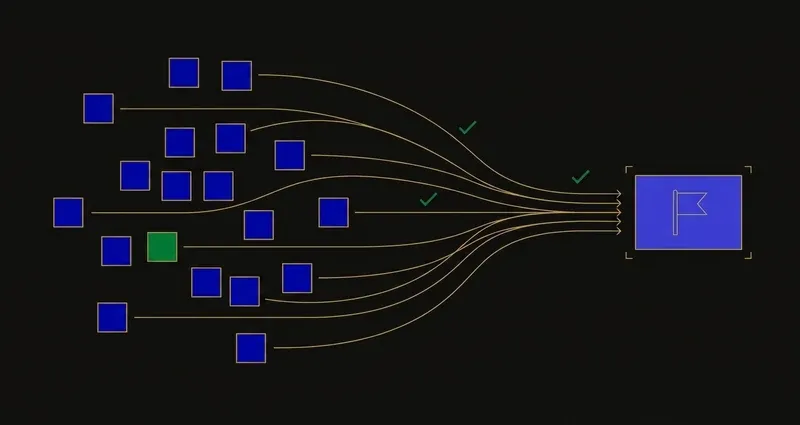
Where the hours actually go
Audit an evening honestly and the split is usually the same three items.
Instruction video
The biggest block, and predictable: twenty-odd minutes per lesson, before you reach anything else.
Assignments
Variable and expensive. Two questions you can't crack turn thirty minutes into ninety.
Quizzes
Expensive when you guessed. A burned attempt on material you didn't understand costs you the retake.
Most students optimise the middle item because it's the frustrating one. The first is the larger number, every lesson.
The myth: scores matter more than pace
It feels backwards, but it's true: a student on a 95% Overall Grade with stalled completion can show a lower Actual Grade than one at 80% who's caught up. The formula multiplies score by completion ratio, so unsubmitted work counts as a zero until it's submitted. Pace isn't secondary to accuracy; it's a direct input into the same number.
A worked example: clearing a two-week backlog
Say a student has an Overall Grade of 88% on everything turned in, in a course with an 80% target completion.
Behind: completion sits at 50% because three weeks of lessons piled up. Actual Grade = (50 ÷ 80) × 88 = 55%.
Caught up: the same student clears the backlog the following week, no score changing, and completion reaches the 80% target. Actual Grade = (80 ÷ 80) × 88 = 88%.
A 33-point jump on the number that reaches the report card, and not one answer was different. Only how much existed moved.
The order to clear a backlog in
- Oldest unfinished work first. Those are the zeros dragging your Actual Grade the longest.
- Find out what needs unlocking, now. Assessments gated behind teacher review won't open on demand, and discovering that the night before a deadline is the most common way students lose a week. See how to unlock Edgenuity tests.
- Ask which activities carry weight. Weights apply to quizzes, tests and exams; Imagine Learning publishes a list of assignment types that don't influence the course grade.
- Then work lesson by lesson, in order, instead of jumping around the unit.
What actually speeds it up
Handle the instruction
The biggest fixed cost in the course, and the one most worth removing. Manual video tricks are unreliable; see the link below for what works.
Stop stalling on questions
The second-largest cost, and unlike the video it's unpredictable, which makes planning around it impossible.
Know your attempt count
Where retakes exist, the highest score counts, so a considered attempt beats a fast guess that burns one.
Use the guided notes
Assessments are built on them, so filling them in as you go is the highest-value habit for the cumulative exam.
More on the last: Edgenuity guided notes.
Using a tool for it
This is what most people searching this term are actually asking about, so it's worth being direct.
SnoopSolve reads each question on your screen and explains it step by step, with hints when you're stuck and an AI chat for follow-up questions, which takes care of the stalling. Getting unstuck faster is most of the time saved on a backlog.
It's a browser extension rather than a userscript, so it installs cleanly on a school-managed Chromebook. Open the explanations on the lessons a unit test will draw from, and the catching up doubles as revision. More on finishing Edgenuity fast.
The realistic target
Clearing a backlog is a pacing problem, and pacing is exactly what your Actual Grade measures.
First, completion is the real currency, not just correctness: the formula multiplies score by completion ratio, so unfinished work costs you even when everything submitted is perfect.
Second, order matters more than speed: oldest work first, plus an early check on what's locked behind teacher review, saves more time than rushing any single lesson.
Third, the instruction video is the fixed cost worth removing first, since it repeats identically in every lesson you have left.
Frequently Asked Questions
Can you finish an Edgenuity course in one day?
Realistically no. A course is a stack of units with lessons, assignments, quizzes, unit tests and a cumulative exam, several of which a teacher must unlock, so the gating sets the limit before the work does.
What is the fastest legitimate way to finish Edgenuity?
Clear the oldest unfinished work first, fill in the guided notes as you work since assessments are built on them, stop stalling on individual questions, and find out early which assessments need teacher unlocking.
Does finishing Edgenuity faster hurt your grade if your scores don't change?
No, it's the opposite. Actual Grade is completion divided by target completion, multiplied by Overall Grade. Raising completion without touching a single score raises Actual Grade directly, because unfinished work is counted as a zero until it's submitted.
What order should I clear an Edgenuity backlog in?
Oldest unfinished work first, since that's what's dragging completion down the longest. Then find out immediately which assessments are locked behind teacher review, since that's the delay you can't fix by working faster. Then move lesson by lesson in order.